Where Ink Still Matters: Planning Wet-Signature Packs in a Digital-First UK Office

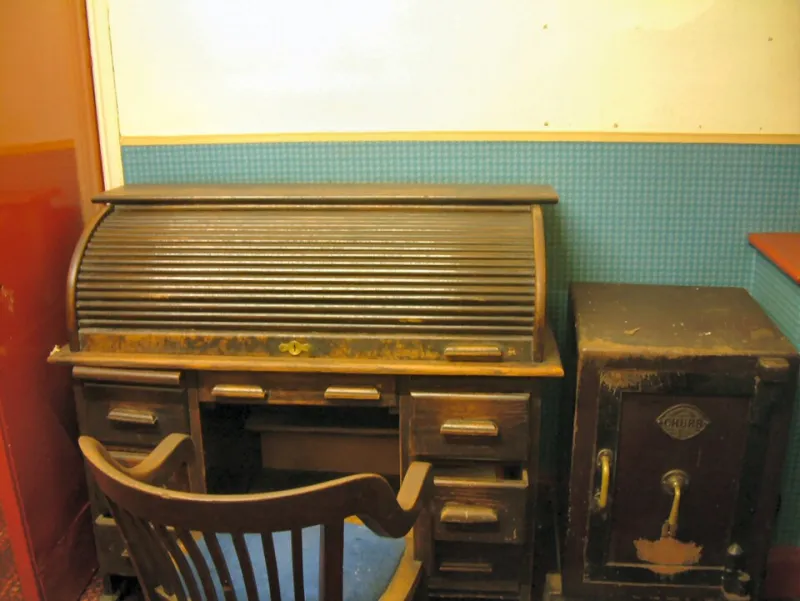
Photo: Evelyn Simak , CC BY-SA 2.0, via Wikimedia Commons
The paper moments that remain
E-signature platforms have changed routine contracting, and few firms would wish to return to printing every engagement letter. Yet the digital-first office has not erased the wet-ink requirement. Deeds, affidavits, statutory declarations and some client onboarding packs still depend on original signatures, witnesses or formalities that are difficult to satisfy with a click. This is not legal advice, and requirements vary by document, jurisdiction and regulator. It is an operational guide for firms that need to produce a clean signing set quickly and preserve a proper record afterwards.
The argument is straightforward: do not treat wet-ink documents as an exception to be improvised at the last minute. Treat them as a distinct workflow with its own checklist, print plan and audit trail.
Identify the documents that truly need ink
Start by separating documents that must be signed in wet ink from those that can be executed electronically. A deed, for example, usually requires signature and attestation formalities that should be confirmed before the signing appointment. Affidavits and statutory declarations have their own formal requirements, including the role of the person before whom they are sworn or affirmed. Client onboarding packs may require original signatures because of internal policy, insurer requirements or anti-money laundering procedures. The firm should record the reason for each wet-ink requirement rather than applying paper by habit.
This distinction matters commercially. Printing an entire completion bundle when only three pages require ink wastes time and creates unnecessary handling risk. Printing too little, on the other hand, causes delays when a signatory arrives and the correct signature page is missing.
Design the signing set before printing
A well-designed signing set is assembled before anyone reaches the printer. Prepare a cover sheet that identifies the matter, the signatory and the documents enclosed. Add tabs or separators for each document, and include a signing checklist that lists every signature, initial, date and witness requirement. Where a document has exhibits, confirm that the exhibit pages are present and correctly referenced.
Version control is essential. Use a clear file name that includes the matter reference, document type and version. Avoid printing from an email attachment that may be out of date. If several signatories are involved, prepare separate packs or clearly marked sections so that one person does not sign a page intended for another. The objective is a pack that a signatory can understand without a member of staff talking them through every page.
Print and collate at pace
Urgent printing is most effective when the print instructions are precise. Specify single-sided or double-sided output, colour requirements, paper size and whether signature pages should be separated. Print signature pages on fresh sheets where the document requires a clean page, and avoid staple positions that obscure signatures or witness details. Collate in the order set out in the cover sheet, then check the pack against the checklist before it leaves the office.
For multi-location signings, prepare separate packs with return instructions and tracked envelopes. If a courier is involved, record the tracking number against the matter. For same-day requirements, a local urgent printing and secure copying service can produce additional sets while the original pack is in transit. The aim is to remove printing from the critical path of the signing appointment.
Manage the signing appointment
The signing appointment should be treated as a controlled process. Confirm that the signatory has identification where required, that a witness is available if needed, and that the date will be completed correctly. Provide the signing checklist and ask the signatory to initial each page where the document requires it. Do not allow pages to be signed out of order, and do not permit a signatory to take away an incomplete pack without a clear record of what remains outstanding.
Where a document must be sworn or affirmed, confirm the arrangements with the authorised person in advance. Where a company executes a deed, confirm the correct signatories and any witness requirements before the appointment. These are legal formalities, but they are also document-handling tasks. A missing witness or an incorrect date can turn a straightforward completion into a reprint and a second appointment.
Scan executed copies back into the matter file
Once the pack is signed, scan the executed copy promptly and file it against the matter reference. Use a resolution and colour setting appropriate to the document, particularly where signatures, stamps or handwritten amendments need to remain legible. Name the scanned file consistently, and link it to the index entry for the original. Where the firm retains original deeds or sworn documents, record their physical location and the date of receipt.
The scan-back trail should show who scanned the document, when it was scanned and where the original is held. A simple signing log can record the document version, signatory, witness, date of execution and return method. This log is not bureaucratic decoration. It is the evidence that connects the printed pack, the wet-ink original and the digital matter file.
Keep the audit trail without slowing the deal
Speed comes from preparation, not from skipping controls. Pre-print standard signing packs, keep a current checklist for common document types, and agree a fallback printer before completion day. Use tracked delivery for remote signatories, and scan executed copies as soon as they arrive rather than waiting for month-end. If a document must be re-signed, record why and retain the superseded version clearly marked.
The digital-first office does not have to be a paperless office in every respect. It needs a deliberate paper workflow for the moments that still require ink. With a planned signing set, fast printing and collation, and a clean scan-back process, UK firms can satisfy wet-ink formalities without turning a completions timetable into a paper chase. Fast Documents UK provides urgent printing, scanning and secure copying to support those moments across the UK.