Print Held in Custody: Secure Release Rules for the UK Hybrid Office
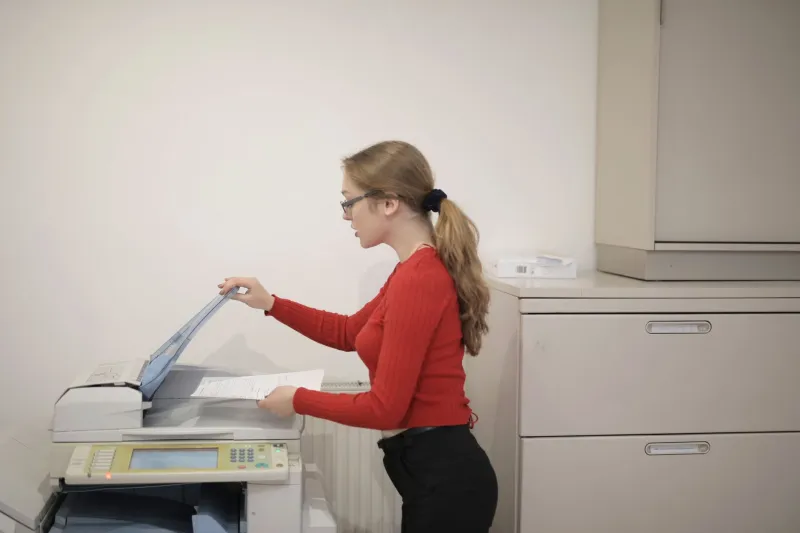
Hybrid working has changed the meaning of a print job. When a document is sent to a shared printer in a hot-desking office, it is not yet a delivered document. It is a queued intention, waiting for a person who may be in a meeting, on a train, or not due in that day. The empty chair beside the printer is therefore not a minor irritation. It is a custody gap.
For small UK firms, the exposure is practical rather than theoretical. Client papers can sit in an output tray. A fee earner can miss a deadline because a bundle was never collected. An office manager can spend the afternoon reprinting pages that were already produced. In 2026, a secure print protocol should address all three: confidentiality, collection and escalation.
Secure release is an authorisation event, not a complete control
The first move is to stop jobs printing on send. Secure print release holds each job in a queue until the user authenticates at the device, usually by PIN, card, or a QR code on a phone. For a UK firm with shared multifunction devices, this should be the default for every job, not an optional setting for sensitive matters.
The reason is simple. A held job cannot be read by the person who happens to walk past the printer. It also cannot be mixed into another user's output. Where the device supports it, release should be limited to the authenticated user and to a short window. A job that is not released should expire rather than wait indefinitely.
Secure release does not, however, solve the empty chair. A job can be released and still abandoned. The protocol must cover what happens after the green button is pressed.
A label should answer three questions
Every printed document that leaves a device should identify three things without disclosing more than necessary: the person responsible, the matter or purpose, and the collection deadline. In legal and professional settings, the temptation is to print the full client name on a cover sheet. That is not always wise in a shared space.
A reference code is usually better. For example, a conveyancing bundle might carry a matter code, the initials of the fee earner, the print date, and a collection time. The code should be meaningful to the firm and opaque to a passer-by. Where a full name is operationally necessary, it should be on the inside cover rather than the outer label.
The label should also state the handling class. Standard, confidential, and restricted are enough for most small firms. The class determines the collection window and the escalation route. Without that link, labels become decoration.
Set collection windows by risk, not by convenience
A single collection window for all print jobs is easy to write and easy to ignore. A tiered approach is more workable.
Standard internal documents might be held for four hours or until the end of the working day. Client-facing or confidential material might have a sixty-minute window. Restricted material, such as papers for a court hearing or a disciplinary process, might require collection within thirty minutes or direct handover by a named person.
These windows should be visible at the point of printing and in the print queue. The device or print management system should send a reminder before expiry. At expiry, the job should be deleted from the queue and, where it has already been released, removed from the output tray under supervision.
The physical collection point matters as much as the timer. A printer in a corridor is not a secure collection point. Where possible, confidential output should be directed to a device in a controlled area, or to a locked output tray. If neither is available, the firm should treat the printer as a temporary holding area and clear it at fixed times.
An escalation ladder for the uncollected job
The empty chair becomes a risk when no one owns the uncollected page. A short escalation ladder prevents that.
At fifteen minutes past the collection window, the system or an administrator should send a reminder to the named person. The reminder should use the matter code, not the client name, if it is sent to a shared channel.
At thirty minutes, the office manager or document controller should be notified. That person should check the output tray and move any confidential pages to a secure hold. The job should be logged as uncollected.
At sixty minutes, the named person or their supervisor should be contacted directly. If the document is time-critical, the firm should decide whether to reprint, redirect to another device, or arrange collection by an authorised colleague.
At the end of the day, any uncollected confidential output should be removed and either returned to a secure cabinet or destroyed according to the firm's confidential waste policy. The log should record the action. This is not bureaucracy for its own sake. It is evidence that the firm controlled the document while it was outside the file.
Give the protocol an owner and a measure
A protocol without an owner will not survive a busy week. In a small UK firm, the office manager is often the natural owner, with technical support from the print supplier or IT provider. The owner should review the uncollected print log monthly.
Three measures are enough to start: the number of jobs that expire unreleased, the number released but not collected within the window, and the number of reprints caused by failed collection. If the first is high, users may be sending jobs they do not need. If the second is high, the collection windows or printer locations may be wrong. If the third is high, the escalation route is not working.
A one-page protocol for the hybrid desk
For 2026, a workable protocol can fit on one page. Hold all jobs for secure release. Label every job with a reference, a handling class, and a collection time. Set windows by sensitivity. Remind before expiry. Escalate uncollected confidential output within the hour. Clear devices at the end of the day and log the action. Review the log monthly.
The empty chair will still appear. People will still be in meetings, on leave, or working from home. The difference is whether the document waits for a person or for a process. A secure print protocol makes that choice deliberate. For UK firms sharing printers across hybrid teams, that is the point: not to fill the chair, but to ensure that no document is left holding it.